Product
One workflow, from the first match to a documented outcome.
Four stages, each with its own queue and its own permission. Nothing gets lost between the person who spots a look-alike and the person who takes it down.
The overview
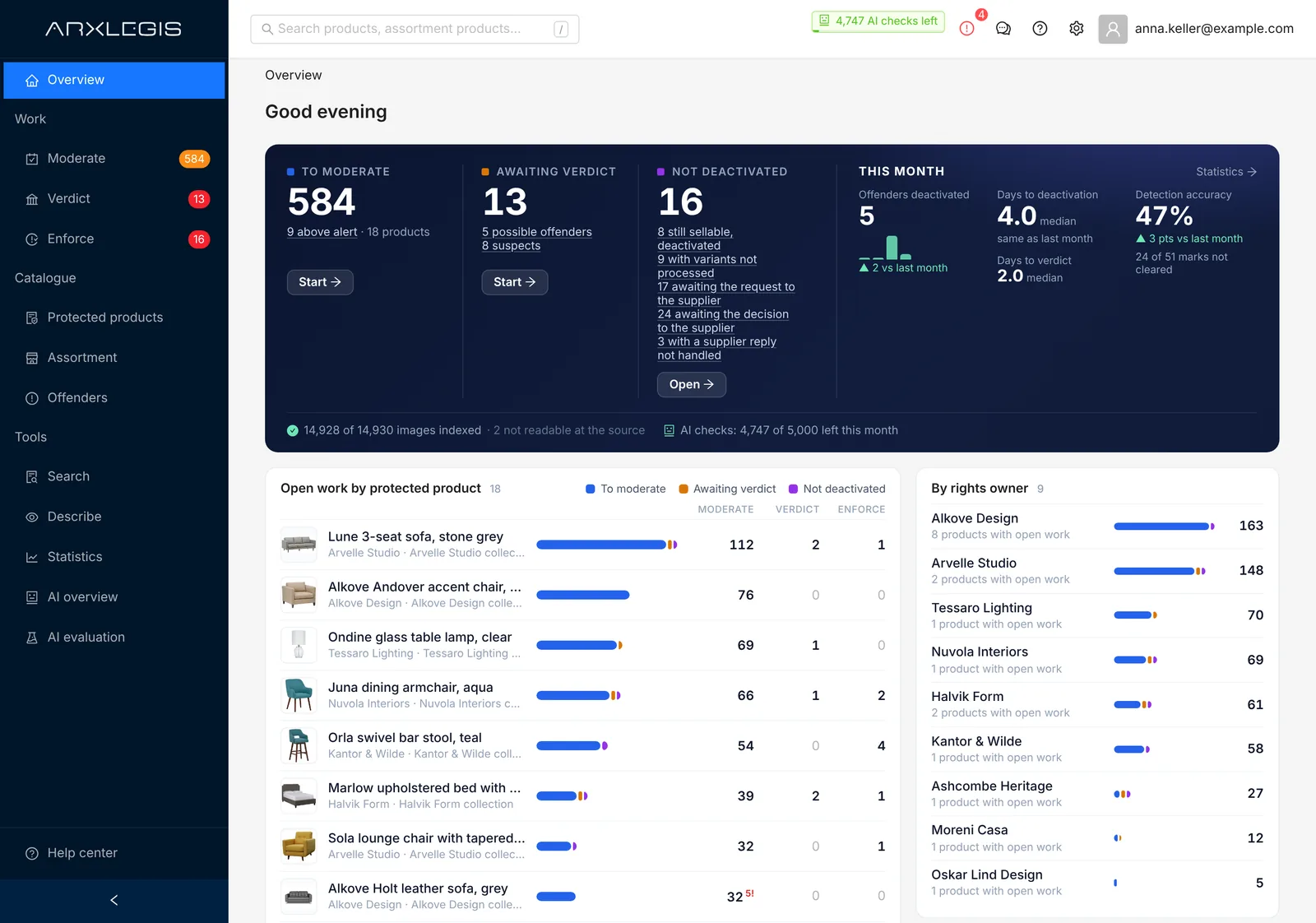
One page shows what needs doing today.
After signing in, everyone sees what is waiting in their stages: to moderate, awaiting verdict, not yet deactivated. One click opens the queue. Next to it you see how the month is going.
- Open work per protected product and per rights owner
- Offenders deactivated, and the days to verdict and to deactivation
- Everyone sees only the stages they have permission for
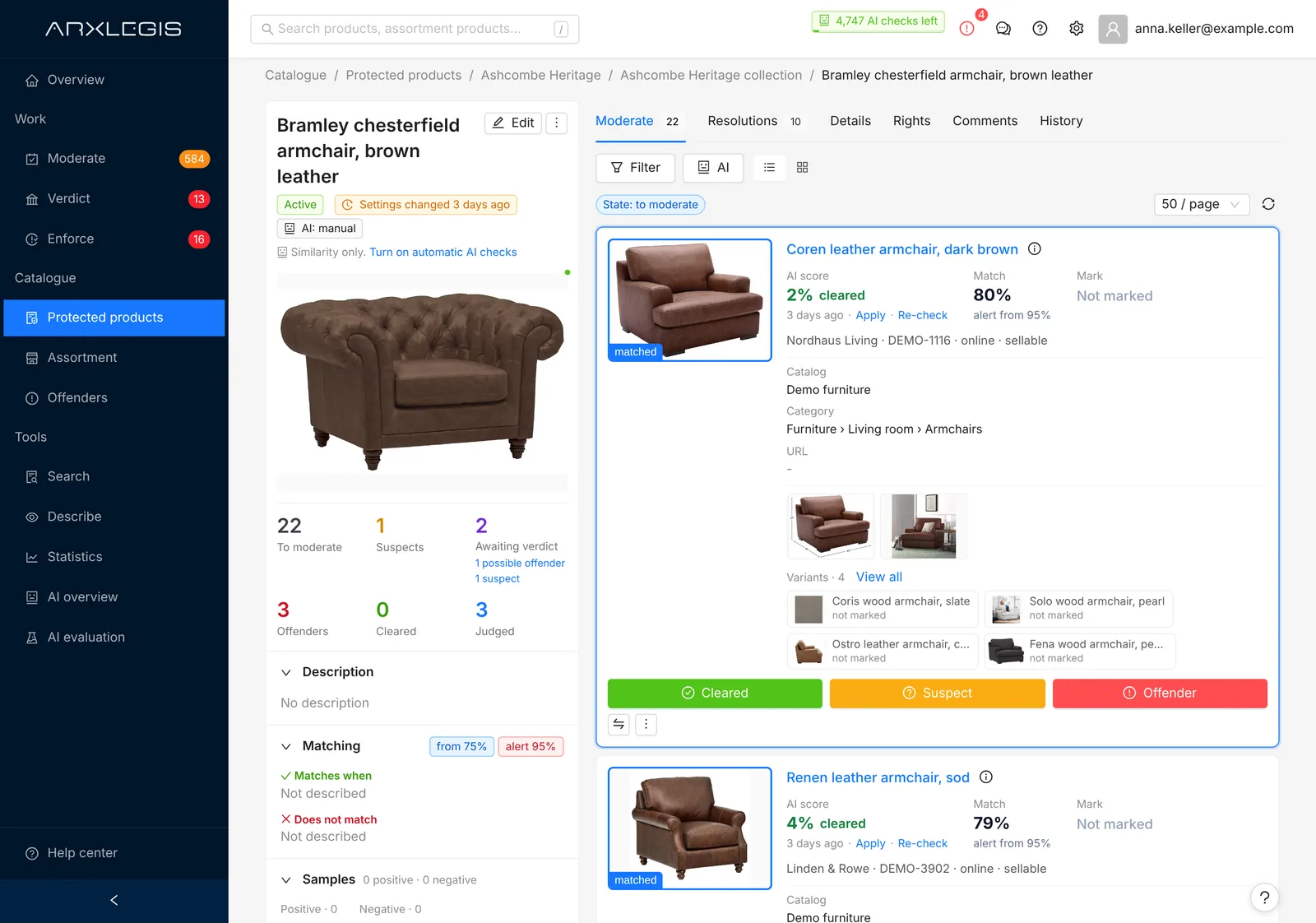
Every product, against every protected design.
You enter the designs you have to respect: pictures, a description of what is protected, and how similar a product must be to count. ArxLegis compares them with your whole assortment by picture and text, and keeps doing so as new products arrive.
- Minimum match and alert threshold per protected product
- Examples of what should and should not match
- Allowed sellers stay out of the results
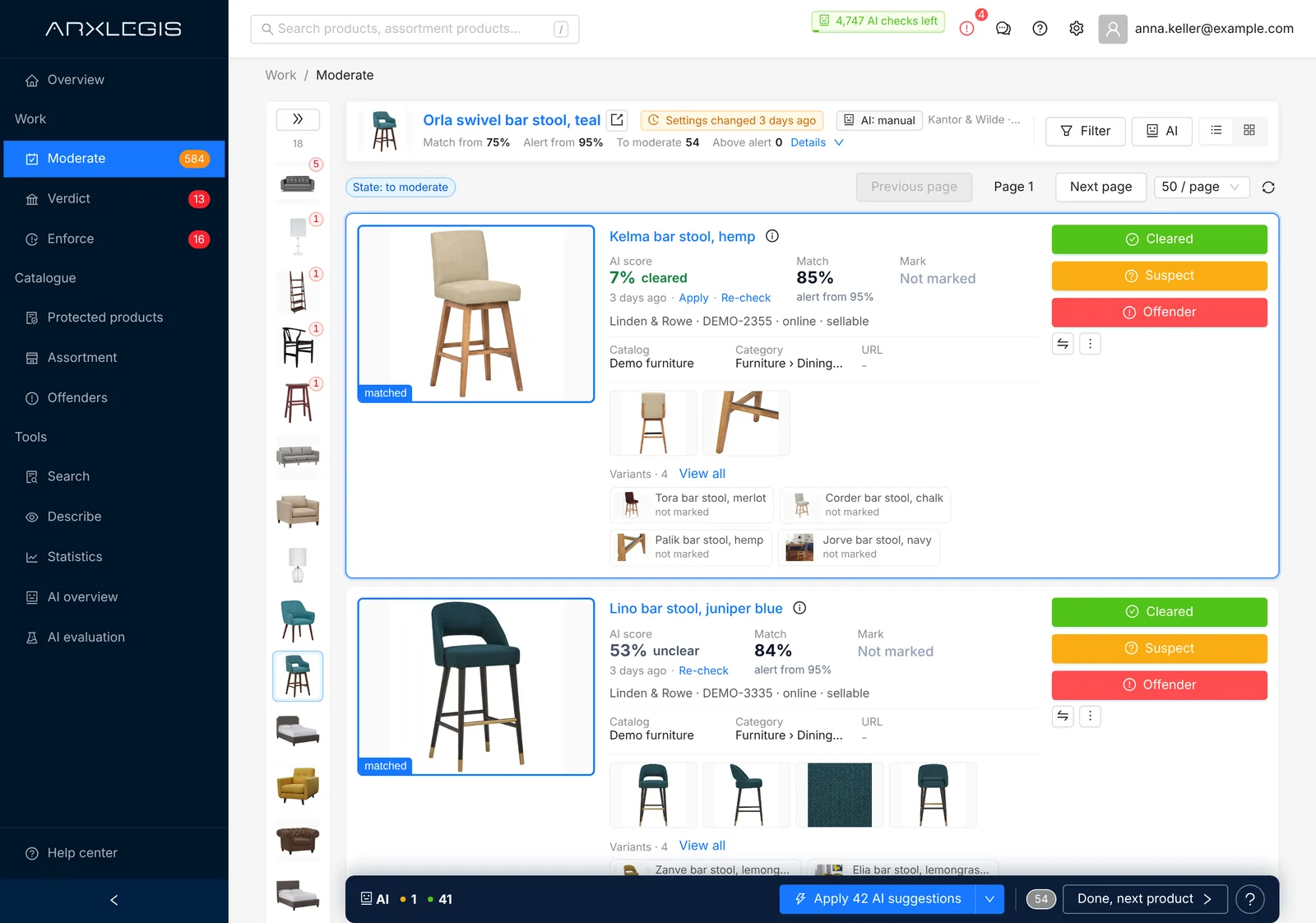
The AI marks first. Your team sees both products side by side.
AI Moderation marks the pairs it is sure about. Moderators work through the rest in a queue, most urgent first: the assortment product next to the protected product, with the match and the AI assessment. They mark it cleared, suspect or offender.
- List or picture grid, with a compare window
- Confirm AI marks, change them or take them back
- Notes with mentions for colleagues
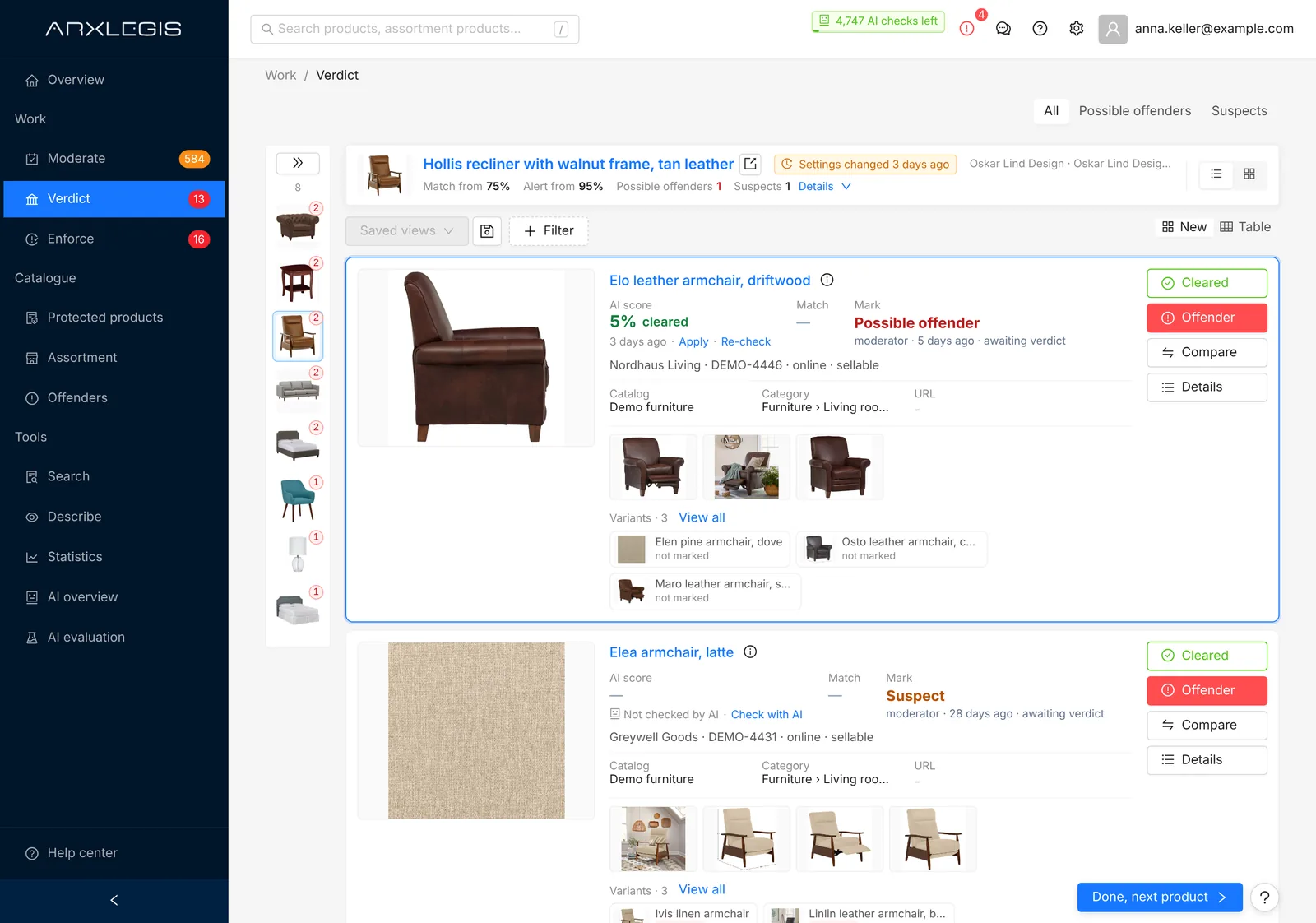
Legal sees only what needs a decision.
Suspects and possible offenders go to the people who are allowed to judge. They give the verdict, cleared or offender, with a comment. From the offender mark on, ArxLegis keeps evidence: a snapshot of the product data and copies of its pictures.
- Moderating and judging are separate permissions
- Review many resolutions in a table, export to Excel
- The history shows who marked, who judged, when and why
Take it down, and see that it stays down.
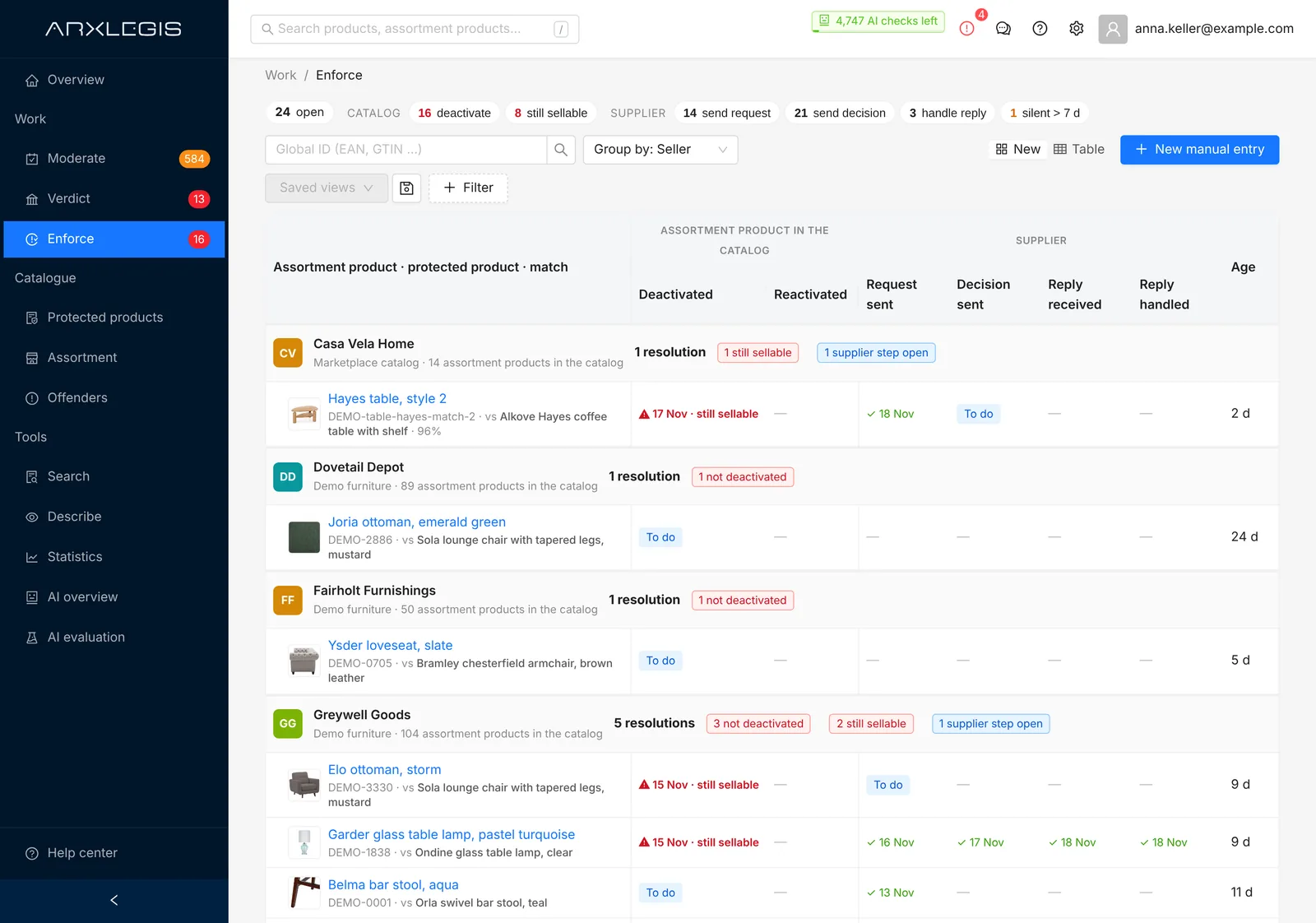
For each offender you record what was done: deactivated, request sent to the supplier, decision sent, reply received and handled. If a deactivated product is sellable again, ArxLegis flags it.
- Grouped by seller, with what is still open
- Add offenders found outside ArxLegis by hand
- A list of offenders that need attention, also by mail
Around the workflow
What your team works with every day.
Overview
What waits in each stage, what was deactivated this month and how long decisions took.
Search by picture or text
Upload a photo or describe a product and find it, and what resembles it, in your assortment.
Work summary by mail
Daily or weekly, for each person, with what waits for them.
Rights owners and documents
Contacts, legal agreements and copyright information, kept with the protected product.
Statistics
Offenders by rights owner, catalog and seller, and how accurate detection is for each design.
Guides for each job
Moderator, judge, enforcement and protection manager each get a short guide inside the product.
Connectors
Reads your catalog where it lives.
Catalogs are read again on a schedule, so new products are checked as they arrive. You choose the categories that matter.
- MiraklAvailable
- CSV filesAvailable
- ShopifyEarly access
- ShopwareEarly access
- Adobe CommerceEarly access
- WooCommerceEarly access
- commercetoolsEarly access
- AkeneoEarly access
- Product feedsEarly access
Early access: we switch the connector on together with the first client who needs it. Product names are trademarks of their owners.
See it on your own catalog.
We set ArxLegis up with a few designs you have to respect and show you what looks similar in your assortment.